Version library
Install and keep multiple Blender releases side by side, from current builds to production LTS.

Manage Blender versions, add-ons and presets in one place.
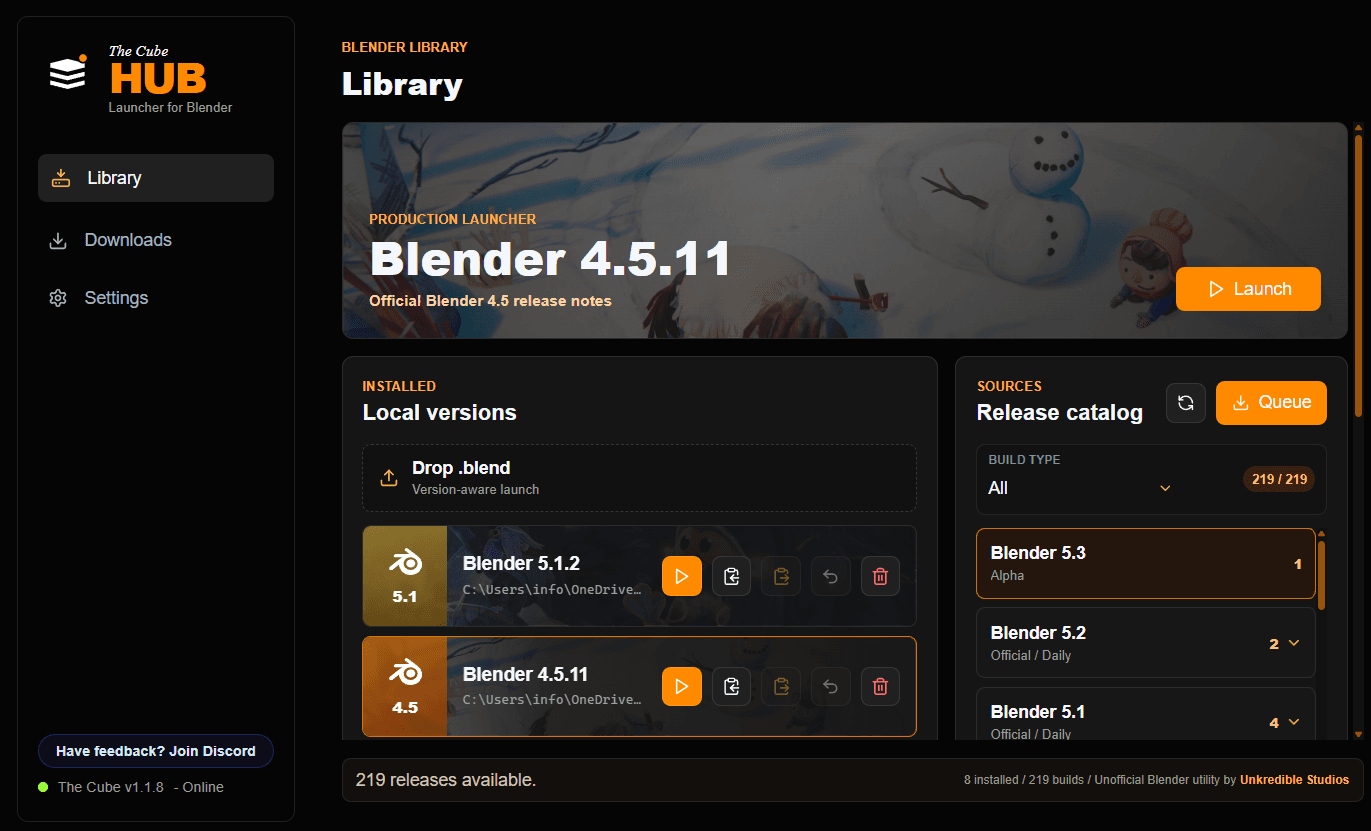
Browse official Blender releases, install the builds you need side by side and keep a proven production setup available.
Install and keep multiple Blender releases side by side, from current builds to production LTS.
Keep preferences, add-ons and familiar setups available across Blender versions.
Move between releases without losing the tools and settings you depend on.
Browse official, LTS and daily Blender builds from one organized catalog.
Keep multiple Blender versions available without replacing a working setup.
Launch the version you need while preserving preferences, add-ons and presets.
Clear by design
No. The Cube Hub is an independent version manager by Unkredible Studios. It is not affiliated with or endorsed by the Blender Foundation.
The Cube Hub discovers and downloads Blender builds from official Blender sources. It does not present modified Blender installers.
Yes. Stable, LTS, daily and experimental releases can live side by side without replacing a working installation.
The Cube Hub helps you keep familiar add-ons, preferences and presets available while moving between compatible Blender versions.
The current The Cube Hub release supports Windows 10 and Windows 11 with MSI and EXE installers.
Download the current Windows build or review the complete release history and changes.